Canny edge detection — computer vision in the browser
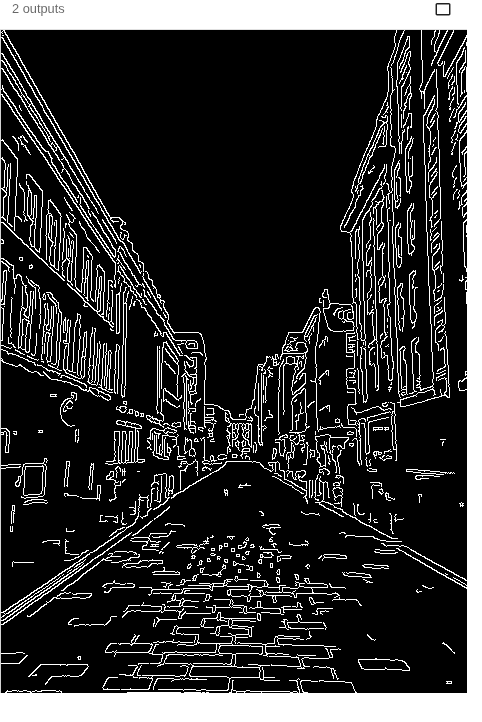
Canny edge detection is a classic computer-vision algorithm (OpenCV’s cv2.Canny) that finds object outlines from sharp changes in brightness. It uses two thresholds — a high one to start an edge and a low one to keep following it (hysteresis) — so edges come out clean and connected. This fetches a real street photo; edit the thresholds and run it live.
Example code (Python / OpenCV)
"""
Canny edge detection

Canny edge detection is a classic computer-vision algorithm (OpenCV’s cv2.Canny) that finds object outlines from sharp changes in brightness. It uses two thresholds — a high one to start an edge and a low one to keep following it (hysteresis) — so edges come out clean and connected. This fetches a real street photo; edit the thresholds and run it live.
"""

import cv2
import requests
import numpy as np

# A real photo, fetched live from the web — nothing is uploaded
url = "https://images.unsplash.com/photo-1543872084-c7bd3822856f?w=480&q=70"
# no-cache: always fetch a fresh copy so a stale browser-cache entry can't break decoding
resp = requests.get(url, headers={"Cache-Control": "no-cache"})
img = cv2.imdecode(np.frombuffer(resp.content, np.uint8), cv2.IMREAD_COLOR)

gray = cv2.cvtColor(img, cv2.COLOR_BGR2GRAY)
gray = cv2.GaussianBlur(gray, (5, 5), 0)     # denoise before edges

edges = cv2.Canny(gray, 80, 160)             # tweak the low / high thresholds
cv2.imshow("photo", img)
cv2.imshow("edges", edges)