K-Means color quantization — computer vision in the browser
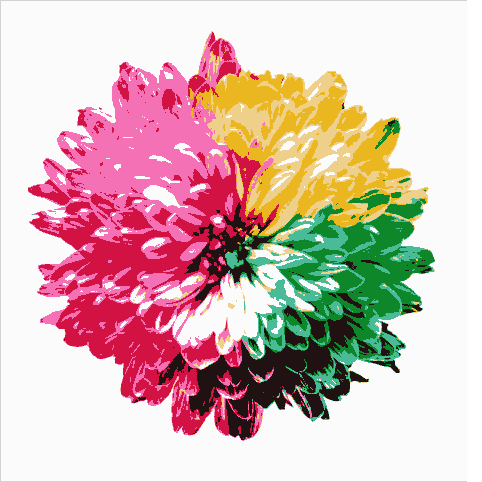
K-Means clustering groups an image’s pixels into K representative colours — a posterize effect and a classic computer-vision use of clustering (also used for palettes and compression). This fetches a colourful photo and runs cv2.kmeans. Run it live and change K.
Example code (Python / OpenCV)
"""
K-Means color quantization

K-Means clustering groups an image’s pixels into K representative colours — a posterize effect and a classic computer-vision use of clustering (also used for palettes and compression). This fetches a colourful photo and runs cv2.kmeans. Run it live and change K.
"""

import cv2
import requests
import numpy as np

# A real photo, fetched live from the web — nothing is uploaded
url = "https://images.unsplash.com/photo-1464820453369-31d2c0b651af?w=480&q=70"
# no-cache: always fetch a fresh copy so a stale browser-cache entry can't break decoding
resp = requests.get(url, headers={"Cache-Control": "no-cache"})
img = cv2.imdecode(np.frombuffer(resp.content, np.uint8), cv2.IMREAD_COLOR)

# Cluster the pixels into K colours (posterize)
Z = img.reshape((-1, 3)).astype(np.float32)
K = 8   # try 4 or 16
crit = (cv2.TERM_CRITERIA_EPS + cv2.TERM_CRITERIA_MAX_ITER, 10, 1.0)
_, labels, centers = cv2.kmeans(Z, K, None, crit, 3, cv2.KMEANS_RANDOM_CENTERS)
quant = centers[labels.flatten()].astype(np.uint8).reshape(img.shape)
cv2.imshow("original", img)
cv2.imshow(str(K) + " colours", quant)