Live optical flow — computer vision in the browser
Optical flow tracks how points move between frames — how computer vision perceives motion. This picks good points with cv2.goodFeaturesToTrack and follows them with Lucas-Kanade (cv2.calcOpticalFlowPyrLK), drawing their trails on your live webcam. Press Run, allow the camera, and move.
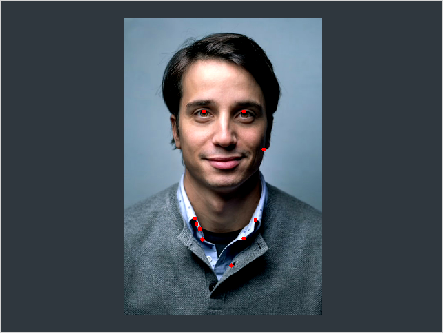
Example code (Python / OpenCV)
"""
Live optical flow

Optical flow tracks how points move between frames — how computer vision perceives motion. This picks good points with cv2.goodFeaturesToTrack and follows them with Lucas-Kanade (cv2.calcOpticalFlowPyrLK), drawing their trails on your live webcam. Press Run, allow the camera, and move.
"""

import cv2
import numpy as np

# The camera starts automatically on Run — allow access when prompted.
cap = cv2.VideoCapture(0)
ok, prev = cap.read()
prev_gray = cv2.cvtColor(prev, cv2.COLOR_BGR2GRAY) if ok else None
pts = cv2.goodFeaturesToTrack(prev_gray, 100, 0.3, 7) if ok else None

while True:
    ret, frame = cap.read()
    if not ret:
        print("No camera frame — allow camera access when prompted.")
        break

    gray = cv2.cvtColor(frame, cv2.COLOR_BGR2GRAY)
    if pts is not None and len(pts):
        nxt, st, _ = cv2.calcOpticalFlowPyrLK(prev_gray, gray, pts, None)
        good_new, good_old = nxt[st == 1], pts[st == 1]
        for (a, b), (c, d) in zip(good_new, good_old):
            cv2.line(frame, (int(a), int(b)), (int(c), int(d)), (0, 255, 0), 2)
            cv2.circle(frame, (int(a), int(b)), 3, (0, 0, 255), -1)
        pts = good_new.reshape(-1, 1, 2)
    if pts is None or len(pts) < 10:
        pts = cv2.goodFeaturesToTrack(gray, 100, 0.3, 7)   # re-seed when points are lost
    prev_gray = gray

    cv2.imshow("optical flow", frame)

    if cv2.waitKey(1) == 27:  # Esc / Stop
        break