Perspective transform — computer vision in the browser
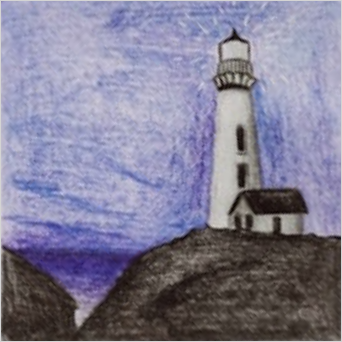
A perspective transform straightens a slanted quad into a rectangle — the maths behind “scan this page” apps in computer vision. This fetches a document photo and flattens a trapezoid with cv2.getPerspectiveTransform + cv2.warpPerspective. Run it live and move the corners.
Example code (Python / OpenCV)
"""
Perspective transform

A perspective transform straightens a slanted quad into a rectangle — the maths behind “scan this page” apps in computer vision. This fetches a document photo and flattens a trapezoid with cv2.getPerspectiveTransform + cv2.warpPerspective. Run it live and move the corners.
"""

import cv2
import requests
import numpy as np

# A real photo, fetched live from the web — nothing is uploaded
url = "https://images.unsplash.com/photo-1605007622396-30df096020b1?w=480&q=70"
# no-cache: always fetch a fresh copy so a stale browser-cache entry can't break decoding
resp = requests.get(url, headers={"Cache-Control": "no-cache"})
img = cv2.imdecode(np.frombuffer(resp.content, np.uint8), cv2.IMREAD_COLOR)

# The four corners of the slanted drawing (clockwise from top-left) → flatten it face-on
src = np.float32([[291, 323], [444, 440], [312, 577], [156, 449]])
side = 340
dst = np.float32([[0, 0], [side, 0], [side, side], [0, side]])

overlay = img.copy()
cv2.polylines(overlay, [src.astype(np.int32)], True, (0, 0, 255), 3)   # the selected quad
cv2.imshow("source", overlay)

warped = cv2.warpPerspective(img, cv2.getPerspectiveTransform(src, dst), (side, side))
cv2.imshow("flattened", warped)